API Key
API Key Management
It is possible to access the API Key management panel through the side menu, as shown in picture:
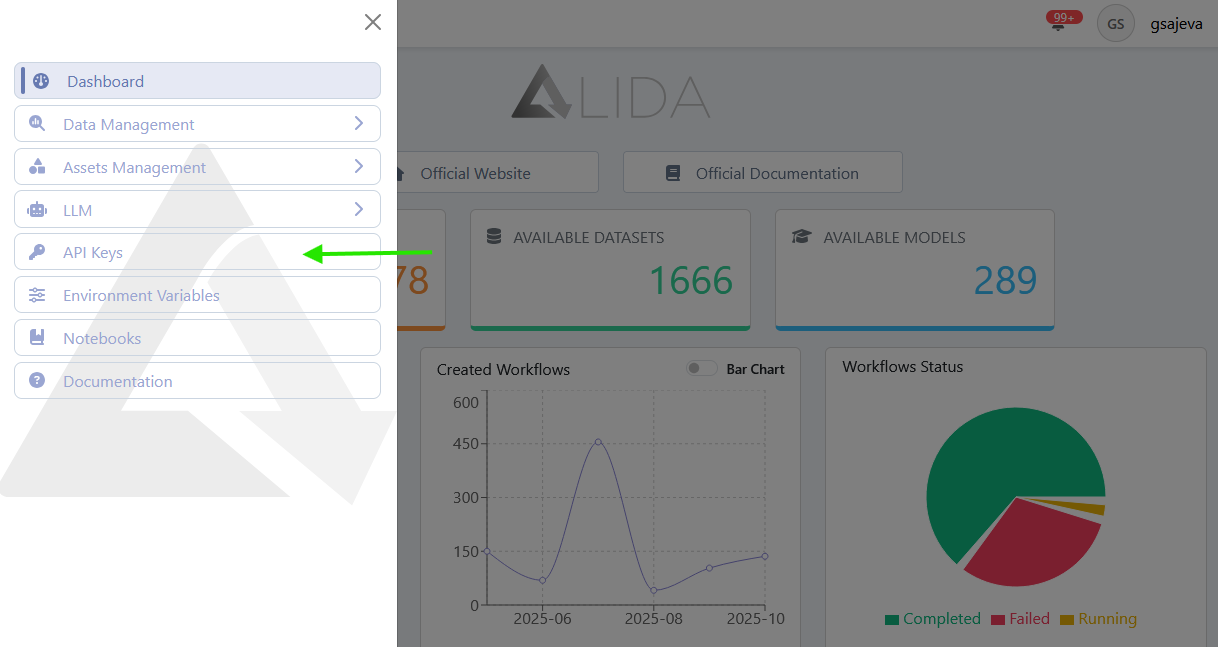
API Key Visualization
From management page, it is possible:
- View the list of API key previously generated by the user
- Search among them
- Create API Key
- Delete API Key
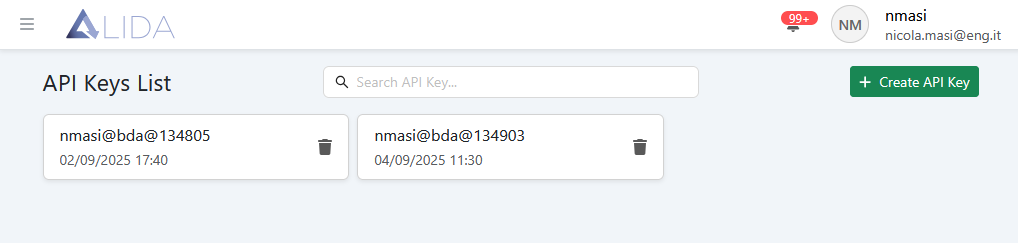
API Key Creation
By clicking on  the API Key creation panel will open:
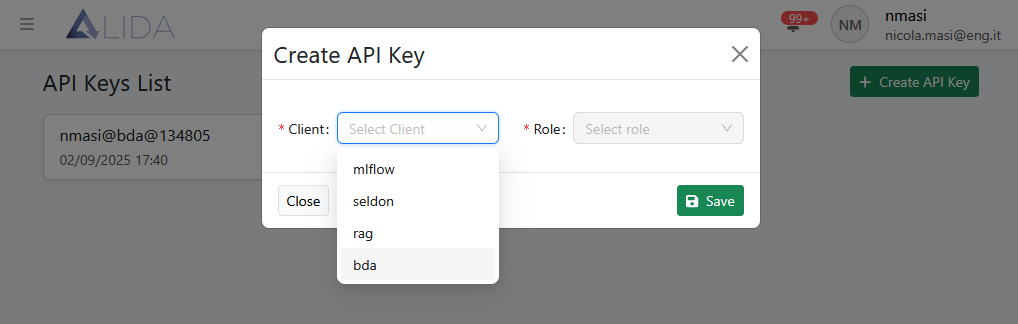
From here, select:
- A
Client: Data Analytics System module to access via API Key - A
Role: entity managed by the module selected inClientto which you want to authorize access.
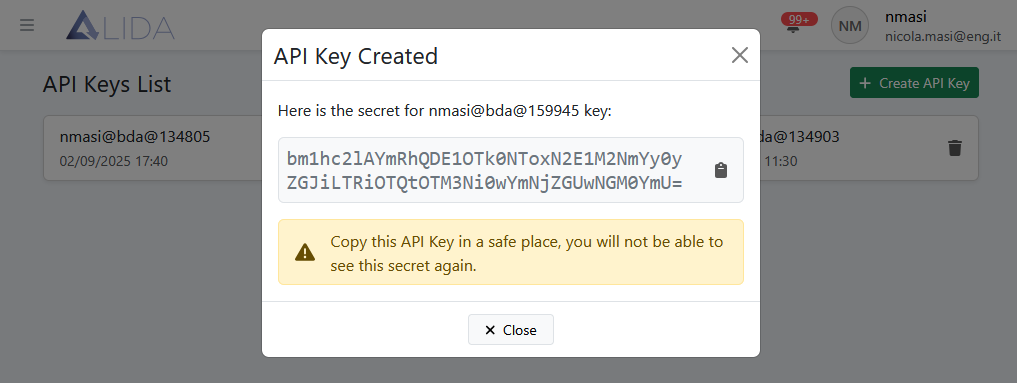
Clicking on Save, the generated key will be displayed:
Kay saving
The key must be carefully stored because it will no longer be possible to copy it.
API Key Usage
Suppose we've created a Workflow with a Service that exposes a REST port.
If we want to access to endpoint from this exposed via API Key, we will need to create a new API Key
with Client bda and Role id-del-workflow-contenente-il-service.
Then, using it in a REST call as shown below, it is possible to access to endpoint:
curl --header 'Authorization: Apikey <api-key>' \
      --location 'https://alida.<tuo-dominio>/events/bda/<bda-id>/<service-id>/<path-based-on-your-app>'
API Key Delete
Clicking on  it will be possible to delete the related API Key.