Service registration
Definition of basic metadata
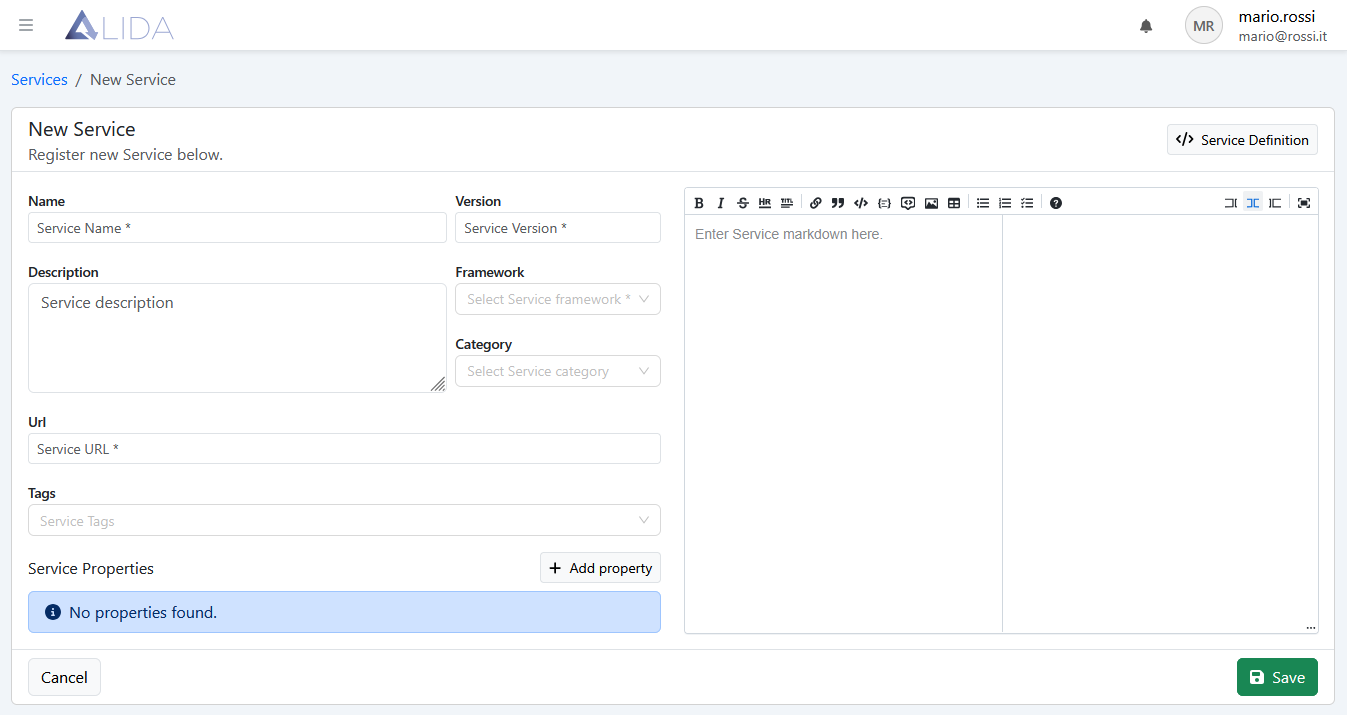
Once the Service registration form is opened by clicking + Register Service, it will be possible to enter the basic metadata:
- Name*: Service name
- Version*: Service version
- Framework*: technology used to implement the Service
- URL*:
docker://<dominio-tuo-registry-docker>:<porta>/<percorso-immagine>:<tag>
in addition to:
- Category
- Tags
both useful for categorizing the Service
Document a Service
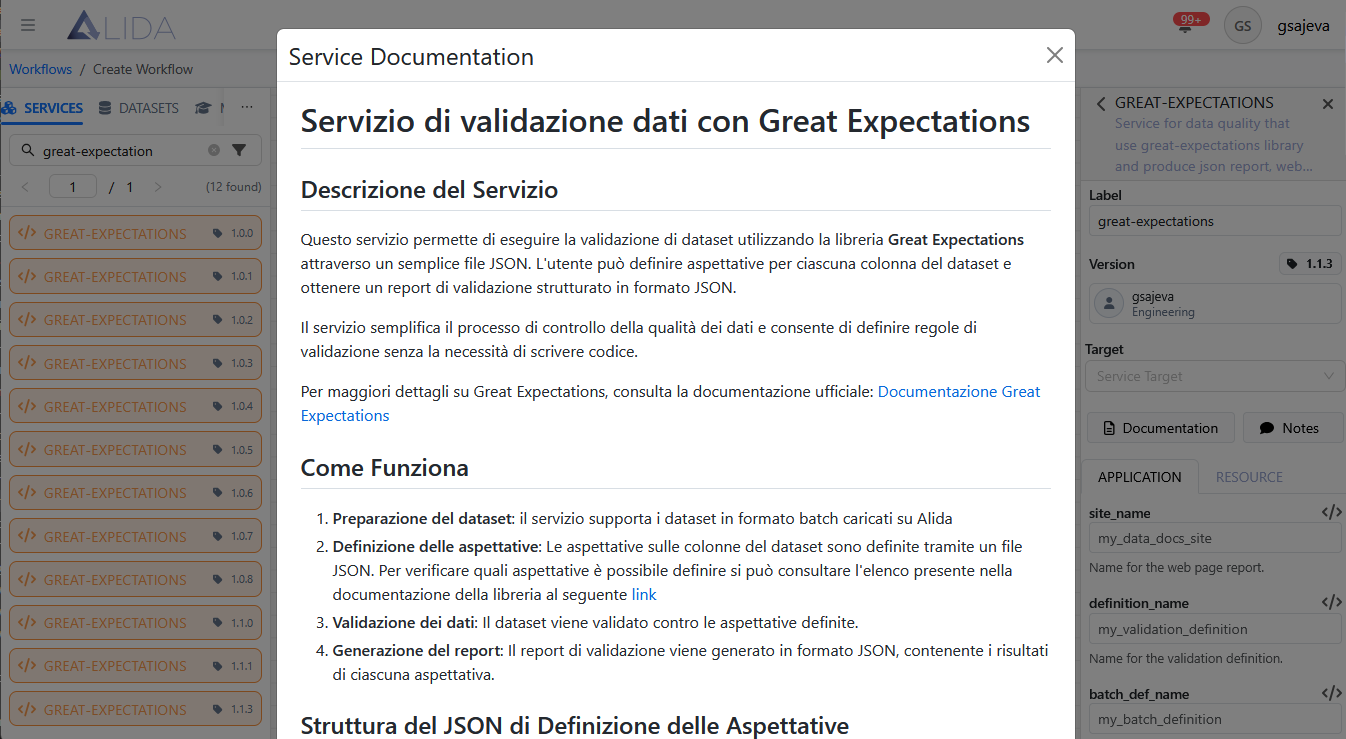
On the right, there is an editor available for entering the Service documentation in format Markdown.
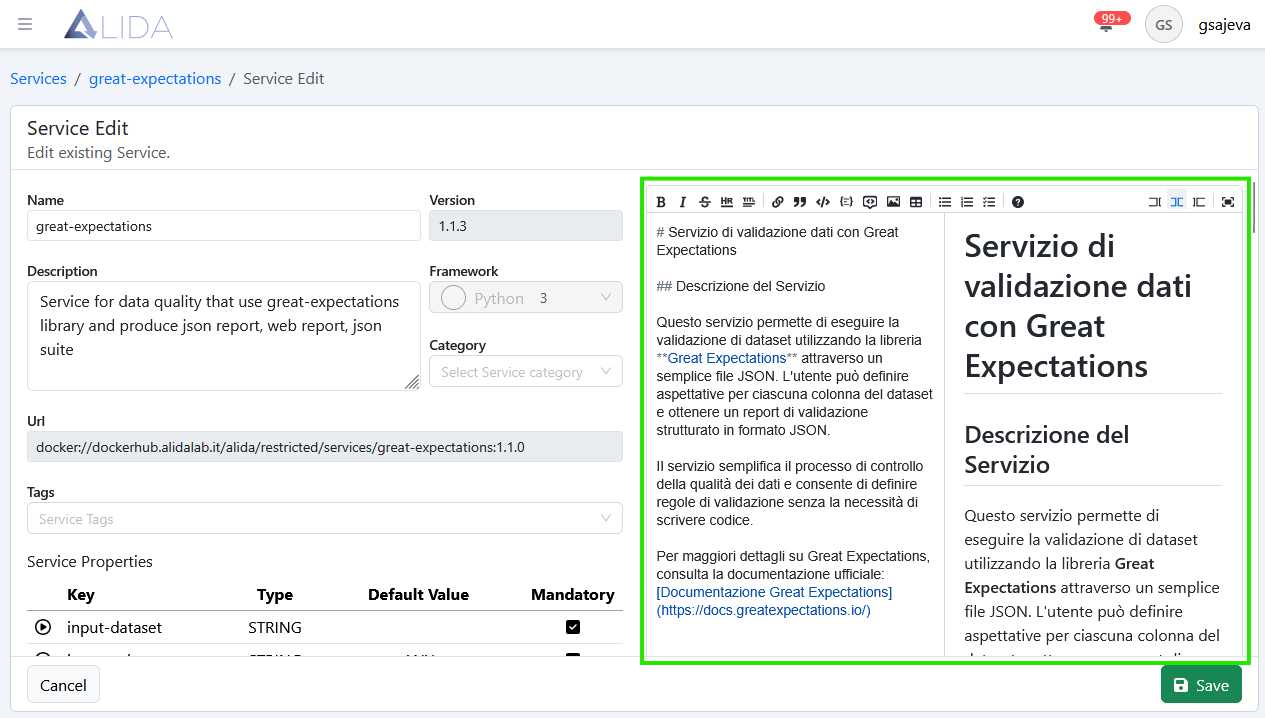
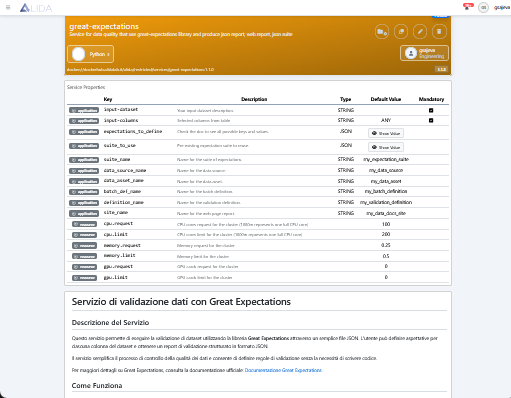
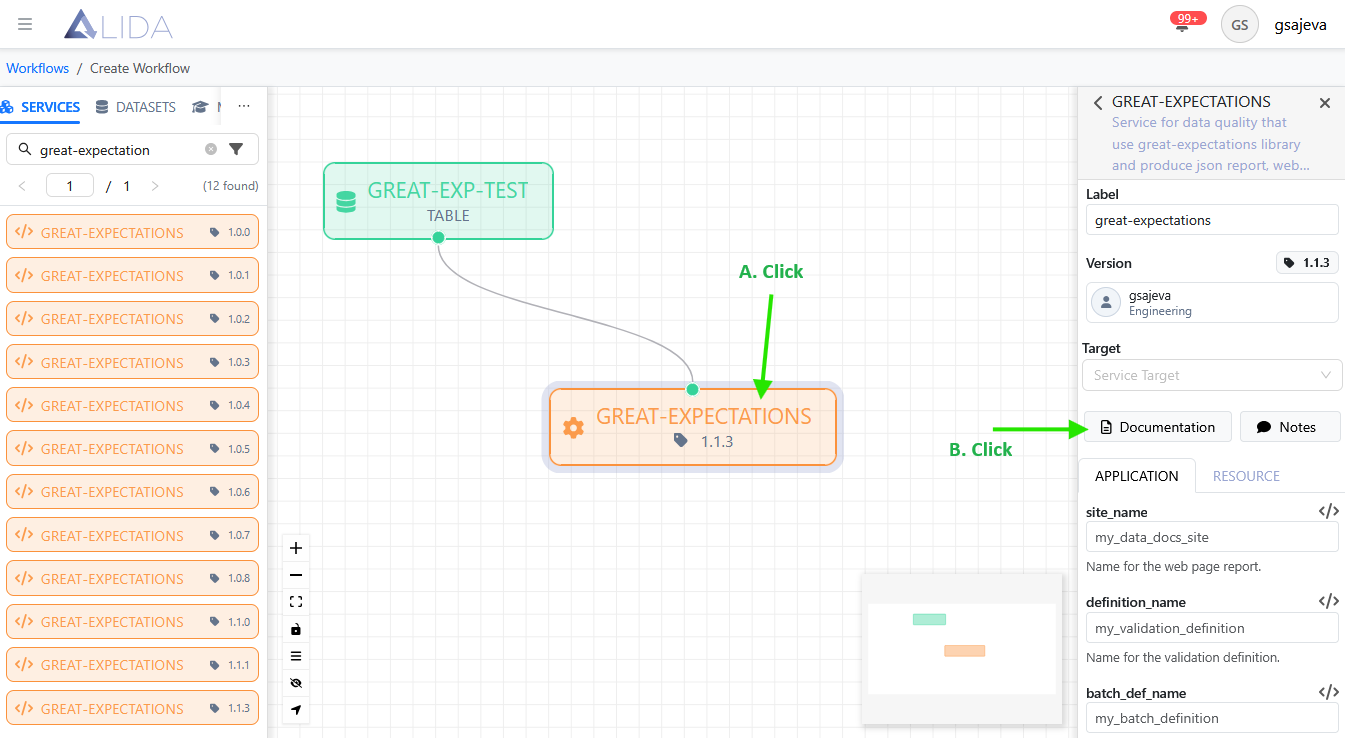
The documentation provided will be accessible to the Data Scientist using the Service through:
-
Service detail page
-
Workflow Designer
By clicking on the Service of interest and then on the Documentation
Definition of Service Properties
In the section Porte I/O we have seen which command line arguments to define at the kernel program level. Now we will show how to inform the Data Analytics System of the presence of these arguments, so that the platform can set their values and pass them correctly.
In particular, there must be a Service Property for each basic command-line argument of the core program. Therefore, it will not be necessary to create ones for the Datasource-specific command-line arguments.
The Service Properties can be of three types:
- Application
- Static
- Tuning
Application Type
To define I/O Ports and Configurable Execution Parameters, it is necessary to register Service Properties of type Application.
Those corresponding to the basic topics covered in the section will need to be recordedPorte I/O.
Dataset, Model and Streaming Ports
For each of the basic topics of these types of doors summarized here:
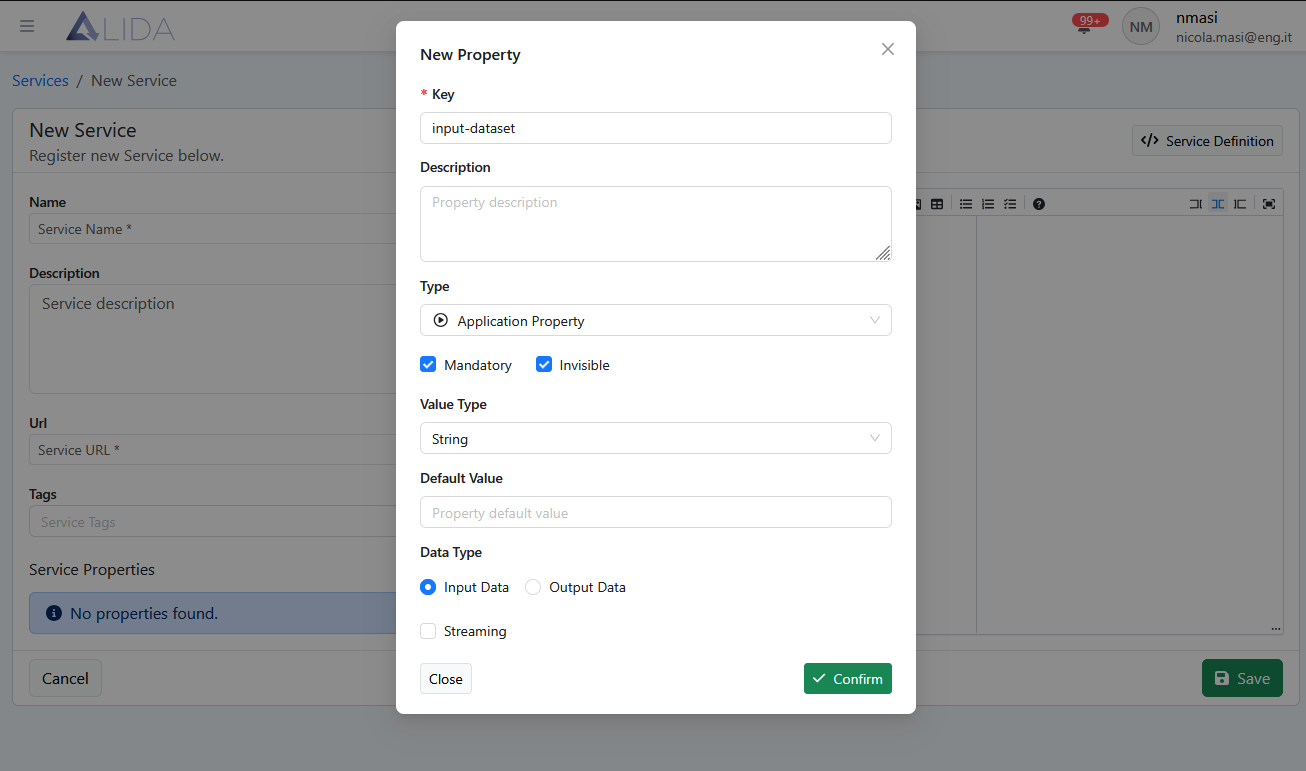
It is necessary to create a Service Property according to the following rules:
- Key:
topic name (without '--')(es.--input-dataset=>input-dataset) - Description: optional
- Type:
Application Property - Mandatory:
ticked - Invisible:
ticked - Value Type:
String - Default Value: empty |
ANY(in the case of--input-columns) - Data Type:
Input Data - Streaming:
unticked
example for --input-dataset
Generic I/O Port
For a Generic type port, the Service Property must be defined as follows:
- Key:
assets - Description: optional
- Type:
Application Property - Mandatory:
ticked - Invisible:
ticked - Value Type:
JSON - Default Value:
- Data Type:
Input Data - Streaming:
unticked
In this way, within the corresponding Service container, two empty volumes will be mounted, accessible by the core program inside the container under /inputs and /outputs.
REST API Port
The related Service Property is as follows:
- Key:
portsToExpose - Description: optional
- Type:
Application Property - Mandatory:
ticked - Invisible:
unticked - Value Type:
JSON - Default Value:
- Data Type:
Input Data - Streaming:
unticked
Configurable execution parameter
For defining execution parameters configurable by the user through the Workflow Designer UI:
- Key:
command line argument name(es.--my-param=>my-param) - Description: optional
- Type:
Application Property - Mandatory:
ticked - Invisible:
unticked - Value Type: all possible
- Default Value: optional
- Data Type:
Input Data - Streaming:
unticked
Static type
The Service Property of type Static allows passing values to the Service as environment variables to the container and thus to the core program.
- Key:
environment variable name - Description: optional
- Type:
Static - Mandatory:
ticked|unticked - Invisible:
unticked - Value Type: all possible
- Default Value: optional
- Data Type:
Input Data - Streaming:
unticked