Designer
The Data Analytics System Designer
The Designer is the visual section of the Data Analytics System platform, dedicated to the creation of applications (workflows) in a simple and intuitive way.
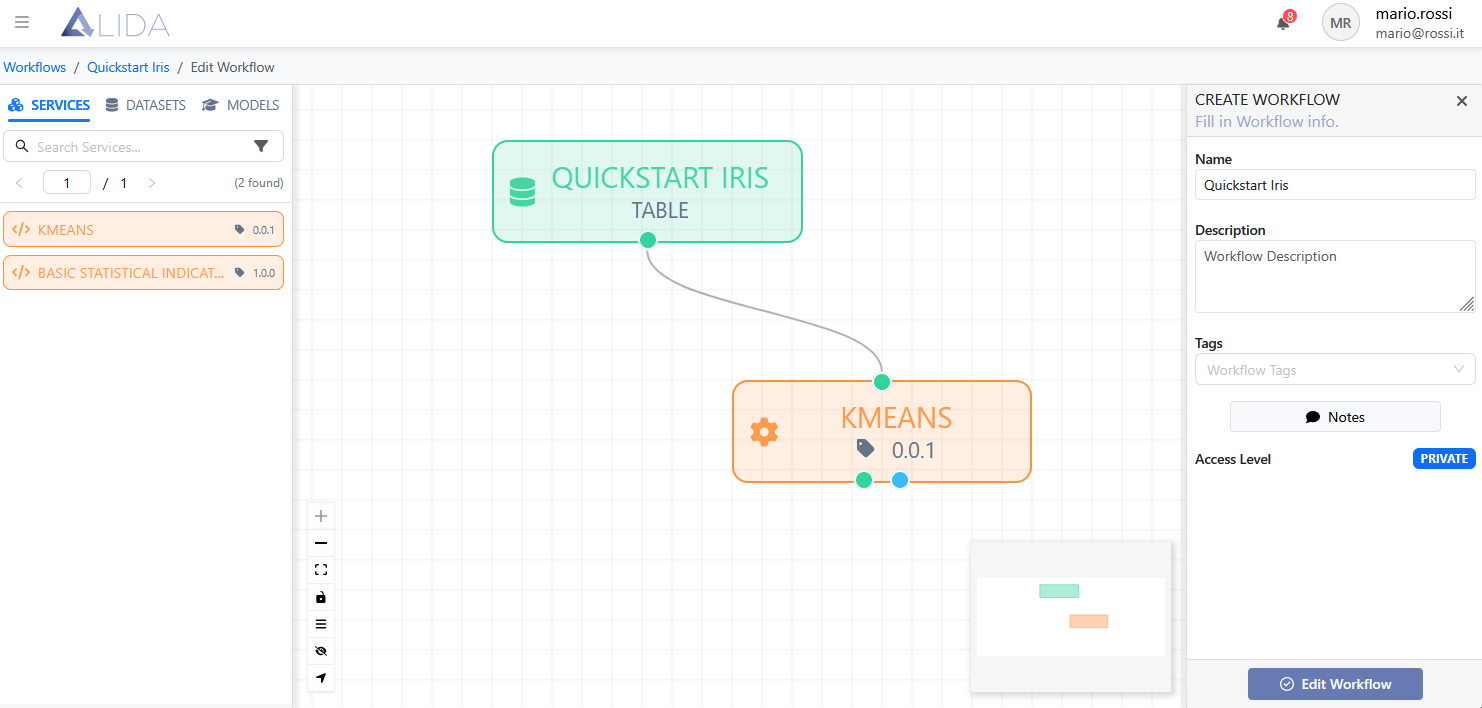
Designer Features
- Intuitive visual construction: Build workflows using drag & drop without writing any code.
- Flexible workflows: Support for branched and complex workflows, allowing parallel executions and multiple aggregations.
- Immediate component identification: Clear distinction between datasets, services, and models through color codes and specific shapes.
- Smart connections: Automatic validation of input/output compatibility when linking blocks.
- Centralized management: Full control over application metadata and configuration via the side panel.
- Integrated advanced configuration: Detailed customization of each service directly within the Designer.
Input and Output Ports of Services
Each service in the Data Analytics System's Designer is defined by specific input ports (at the top of the block) and output ports (at the bottom), which represent its communication interfaces.
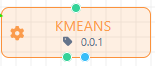
The colors and shapes of the ports indicate the type of connection allowed:
- Input Ports (IN): Represent the data entry points of the service, located at the top of the block. They can accept various types of data, such as:
- 🟢 Green Circle: Dataset
- 🔵 Blue Circle: Machine learning / mathematical models
- 🟪 Purple Square: Streaming data flow
- 🟩 Green Rectangle: Generic I/O
- 🟨 Yellow: REST API call
- Output Ports (OUT): Located at the bottom of the block, they define the results produced by the service after processing. They can generate transformed datasets, trained models, or evaluation metrics, following the same color scheme as the input ports.
Port Characteristics
- Typed compatibility: Ports follow a type system to ensure valid connections. Only ports with compatible types can be connected.
- Visual feedback: During connection, the Designer provides immediate visual feedback on port compatibility, highlighting valid connections in green and invalid ones in red.
- Multi-port support: Some services may have multiple input or output ports, enabling complex operations such as data aggregation or result distribution.