Project
A Project is an organized workspace where the user can collect and manage all Data Analytics System assets required for a specific use case.
Project Management
You can access the Project management page from the sidebar menu, as shown below:
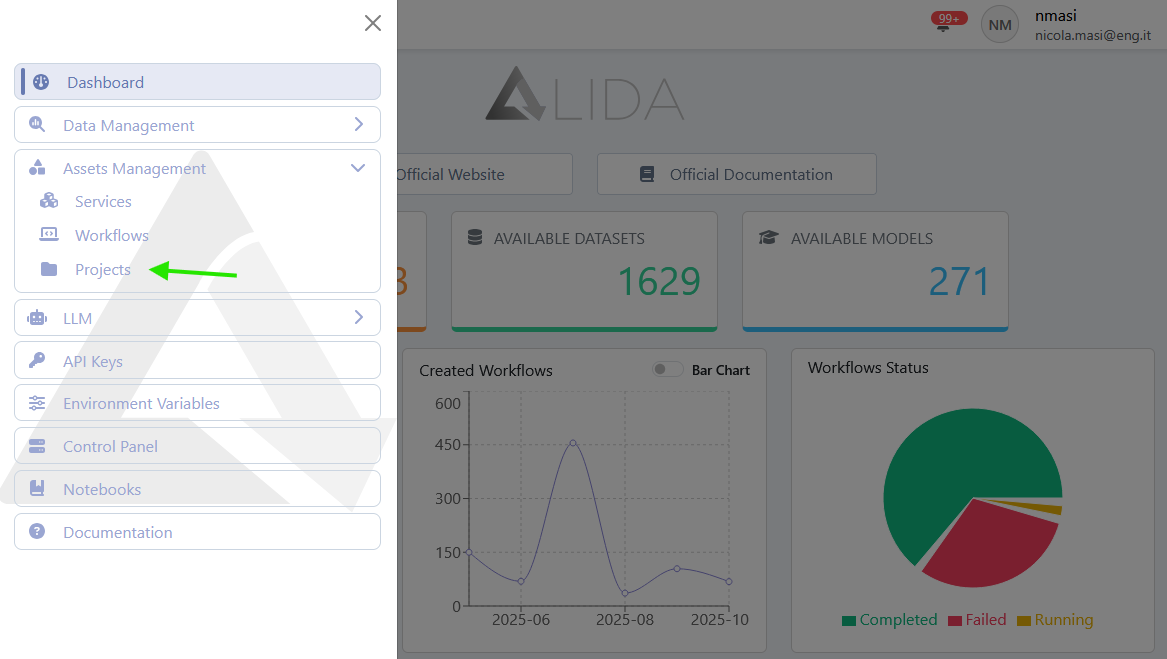
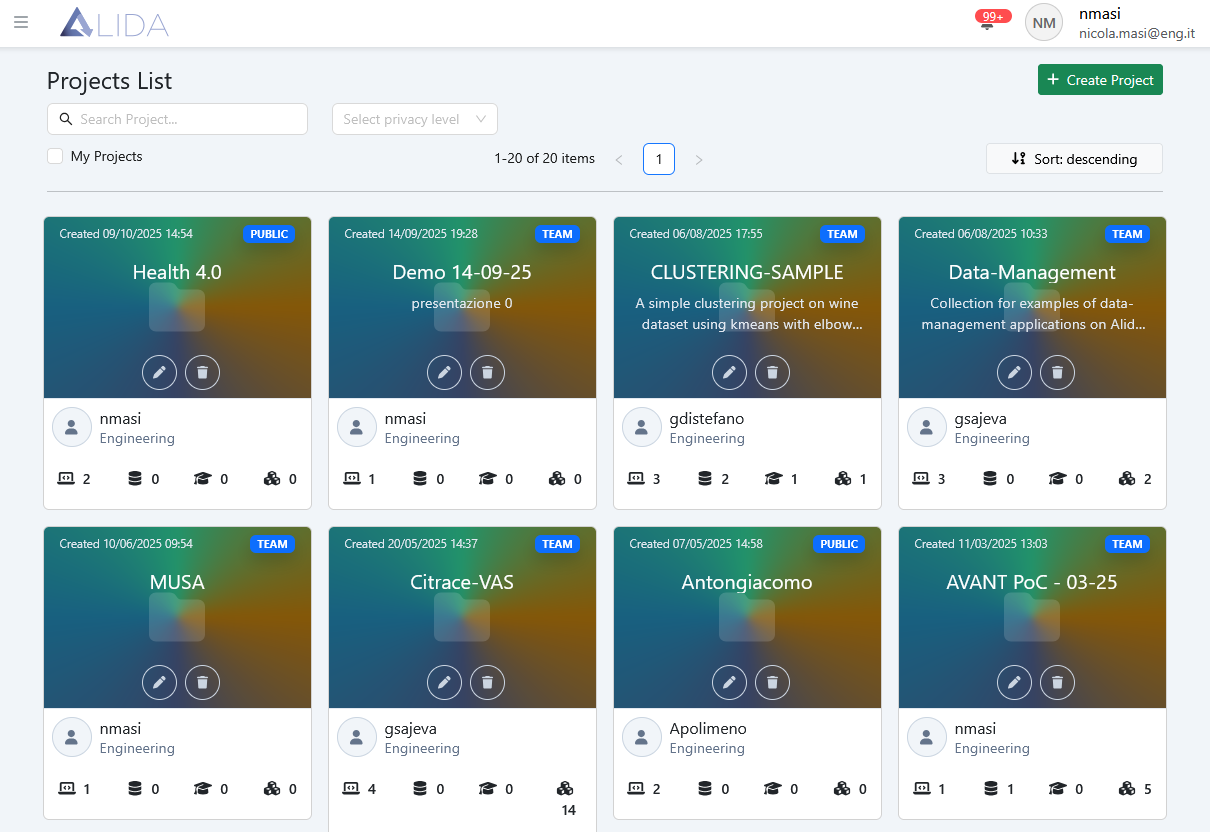
From the management page, the following functions are available:
| Function | Button |
|---|---|
| View Project details | (click on card) |
| Create a new Project |  |
| Edit Project |  |
| Delete Project |  |
Viewing Project Details
By clicking on a Project card, you can view the set of Assets associated with it:
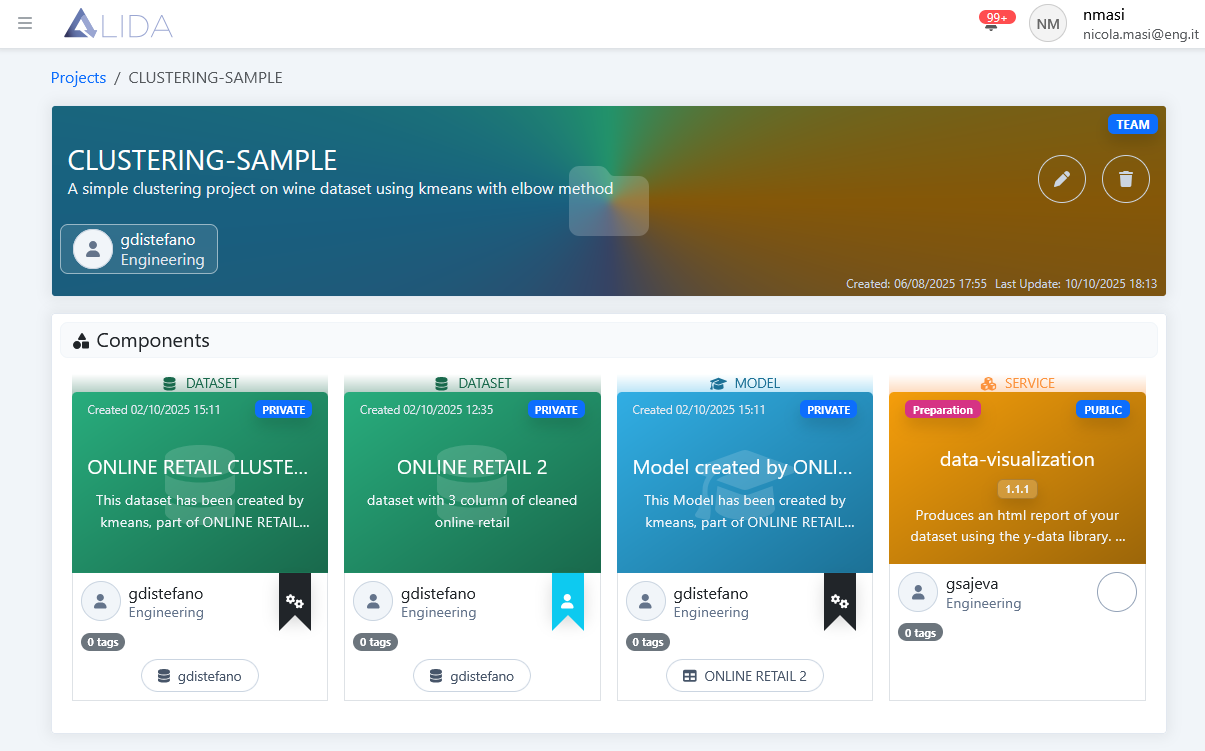
Here, clicking on the card of a specific Asset will open its detail page.
Creating a New Project
Open the Project creation panel by clicking , and enter the basic metadata:
- Name: name of the Project
- Description: description of the Project
- Privacy Level: visibility level of the Project
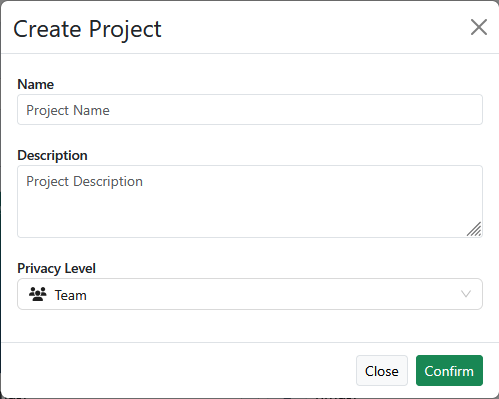
A new empty Project will be created, to which Assets can be assigned through the edit panel (see below).
Editing a Project
To open the edit panel, click :
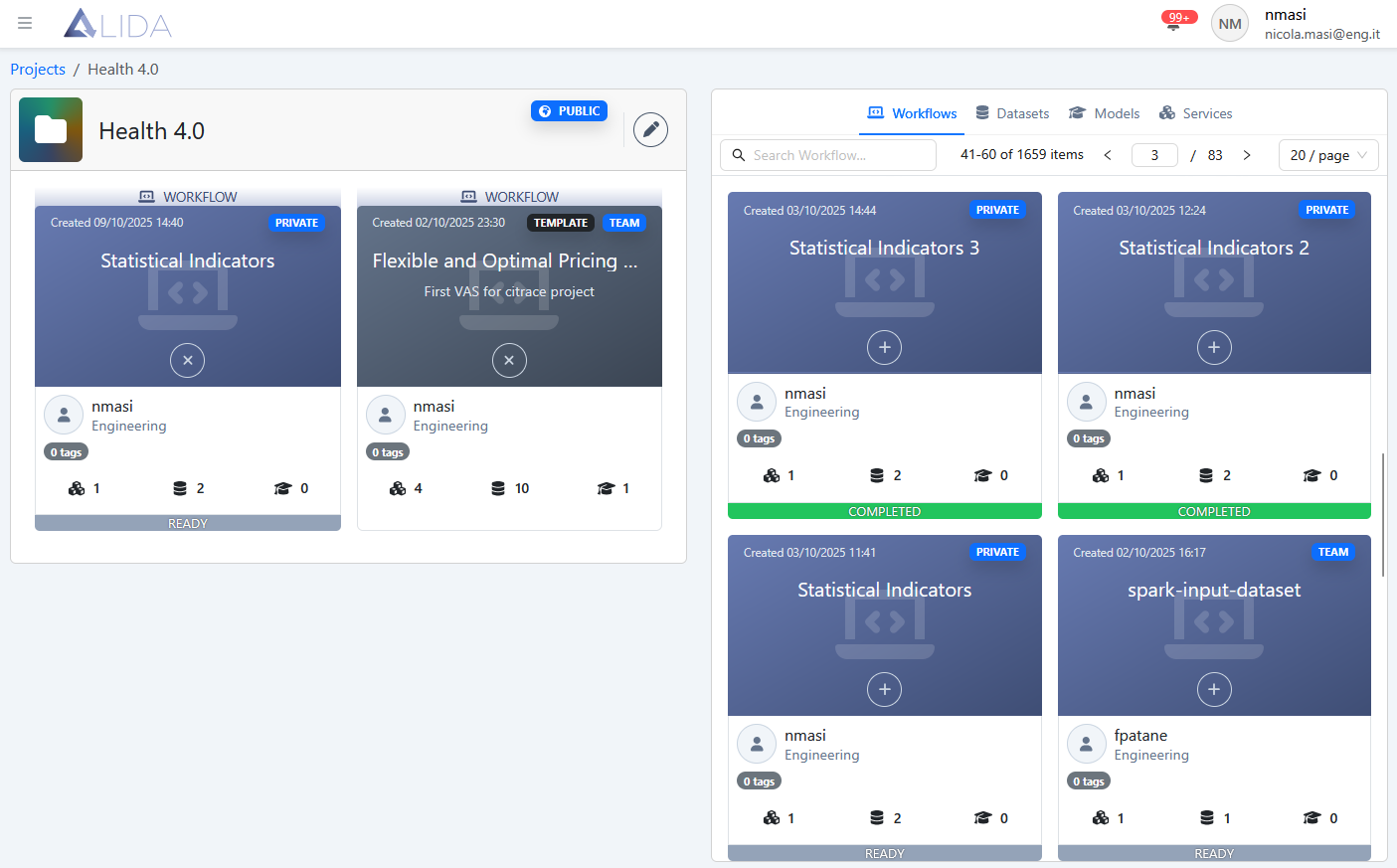
From here, you can:
| Function | Button |
|---|---|
| Add an Asset to the Project |  |
| Remove an Asset from the Project |  |
| Edit Project metadata |  |
Adding an Asset to a Project
Clicking next to an Asset in the right sidebar will add the Asset to the Project.
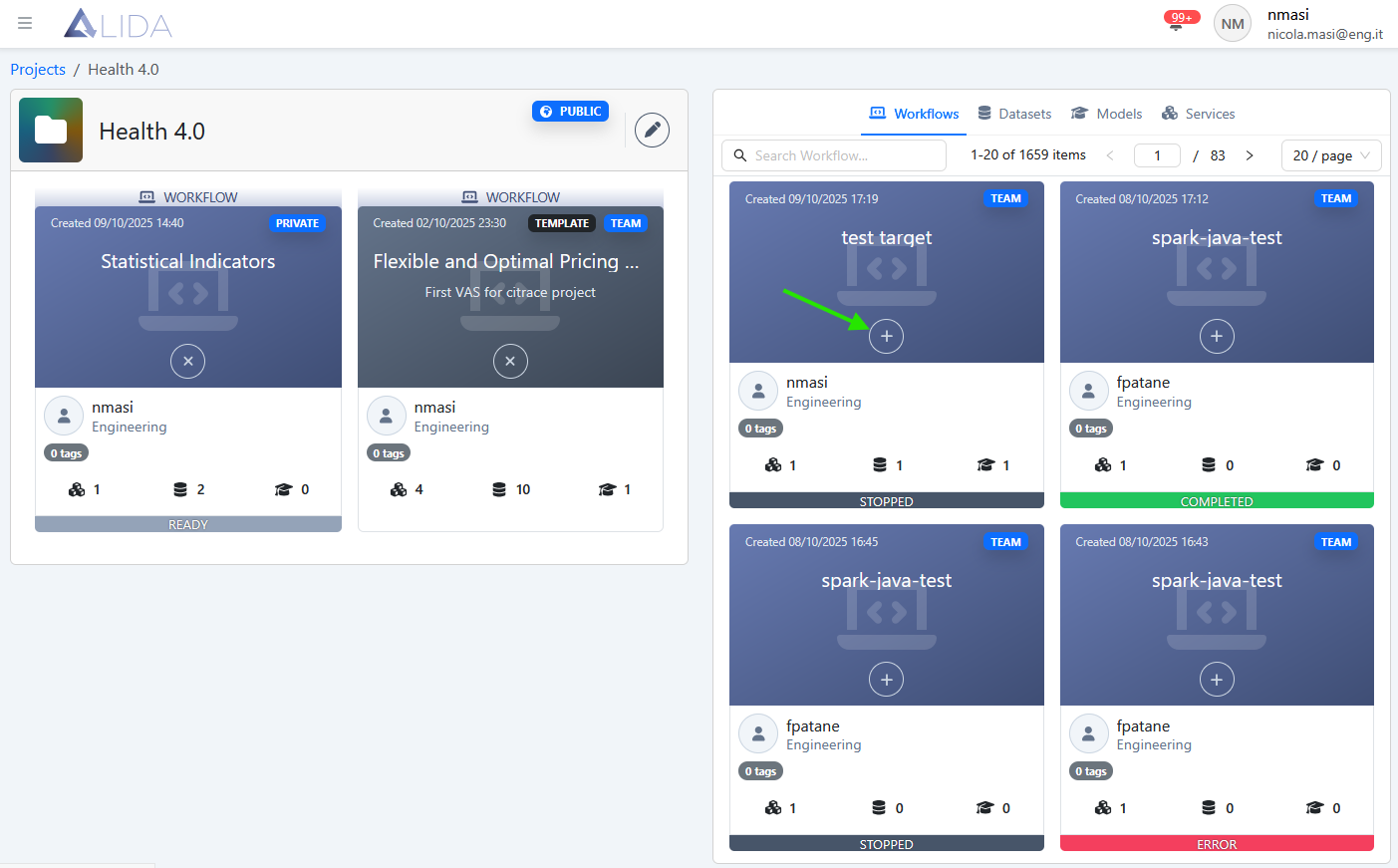
The Asset will appear alongside other Assets belonging to the Project.
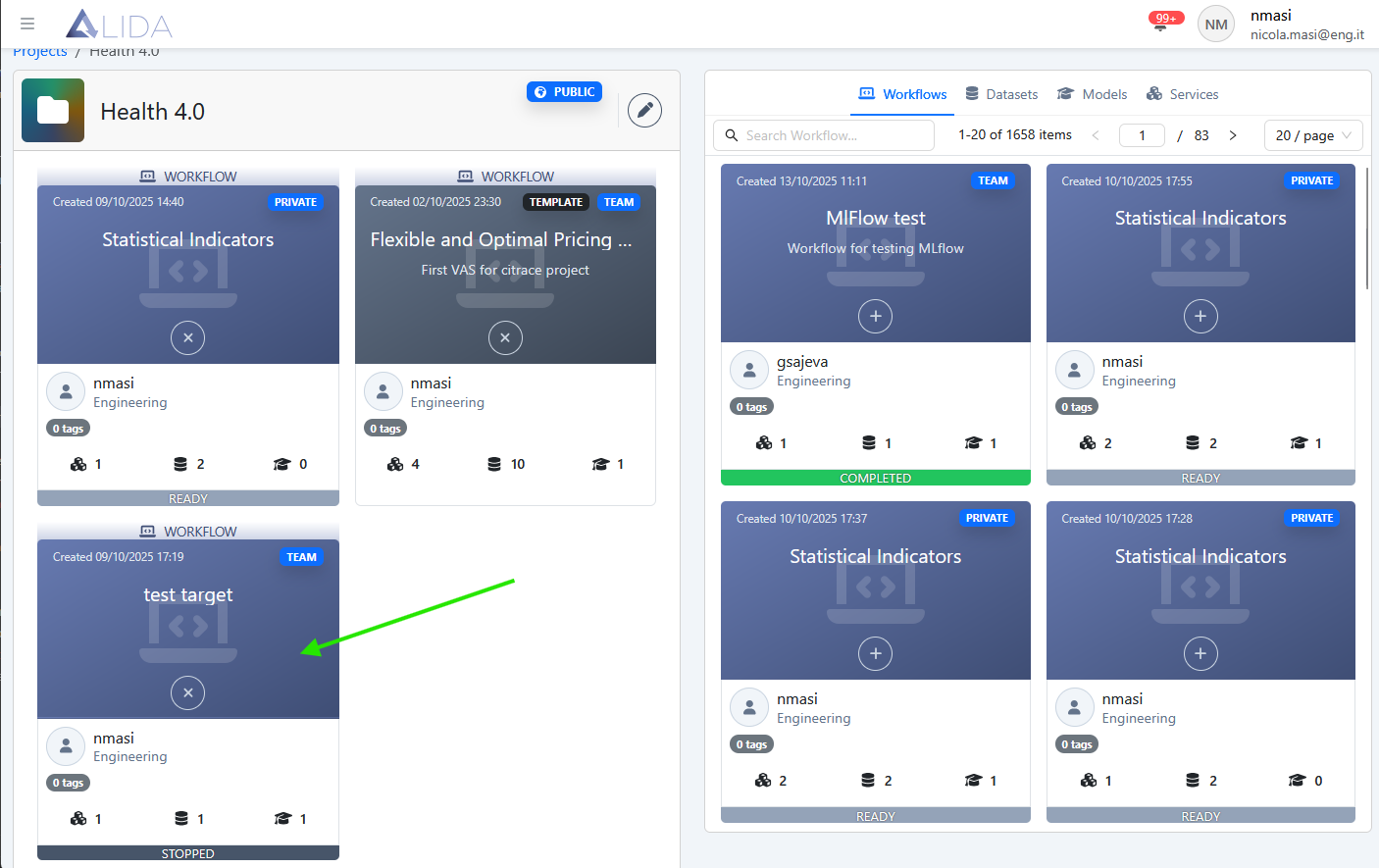
Removing an Asset from a Project
Clicking will remove the corresponding Asset from the Project.
Editing Project Metadata
Clicking allows you to modify the basic metadata of the Project, such as:
- Name
- Description
- Privacy Level
Deleting a Project
A Project can be deleted by clicking .