Dashboard
The Data Analytics System homepage is presented as a dashboard:
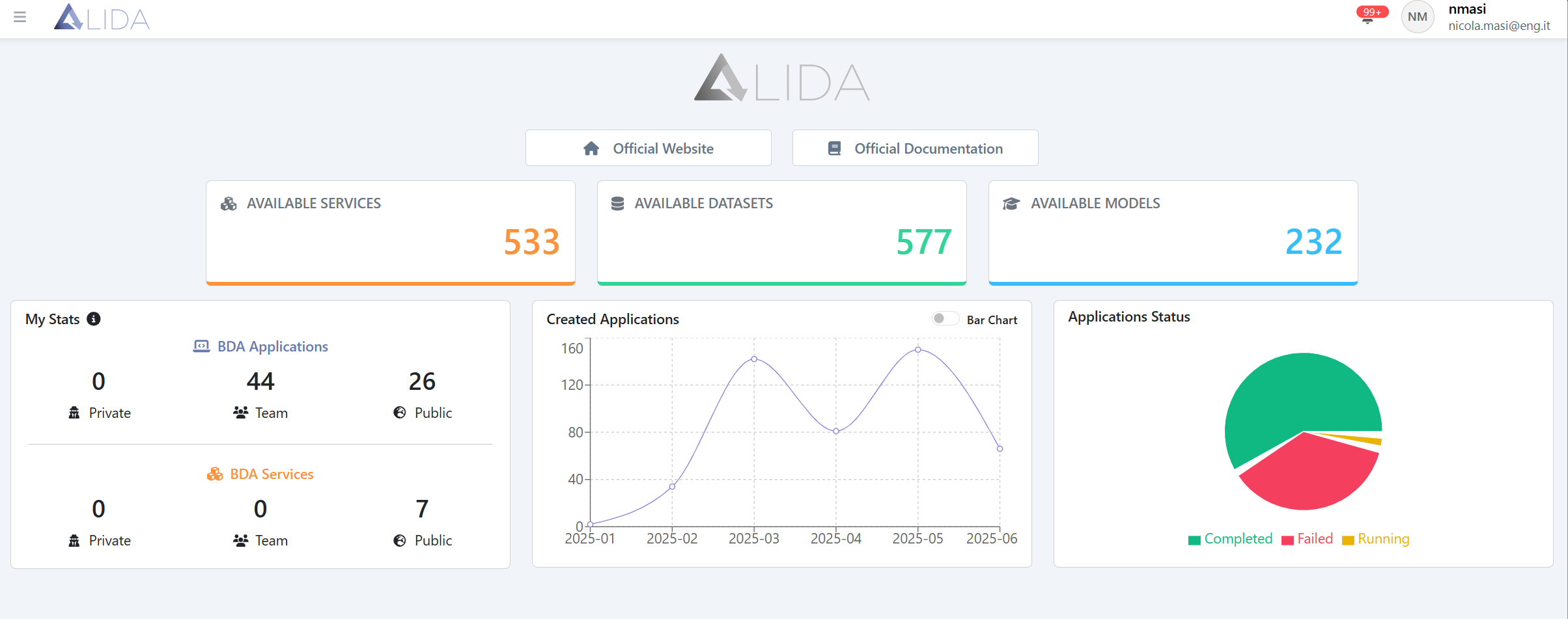
At the top level, two links are provided:
- Official Data Analytics System Website: containing information on core functionalities, the technologies employed, and the projects in which Data Analytics System has been implemented.
- Official Documentation: linking to this manual.
The second level displays indicators such as:
- Available Services (the number of Services listed in the catalog)
- Available Datasets (the number of datasets registered in the Data Analytics System)
- Available Models (the number of models registered in the Data Analytics System)
Finally, at the third level, from left to right, the following panels are shown:
- My Stats: illustrating your Workflows and Services, categorized by visibility level:
- Private
- Team
- Public
- Created Workflows: a chart depicting the trend in Workflow creation
- Workflows Status: a chart showing the number of Workflows for each possible state:
- Completed
- Failed
- Running