Models
Model Management
The Model management page can be accessed from the sidebar menu:
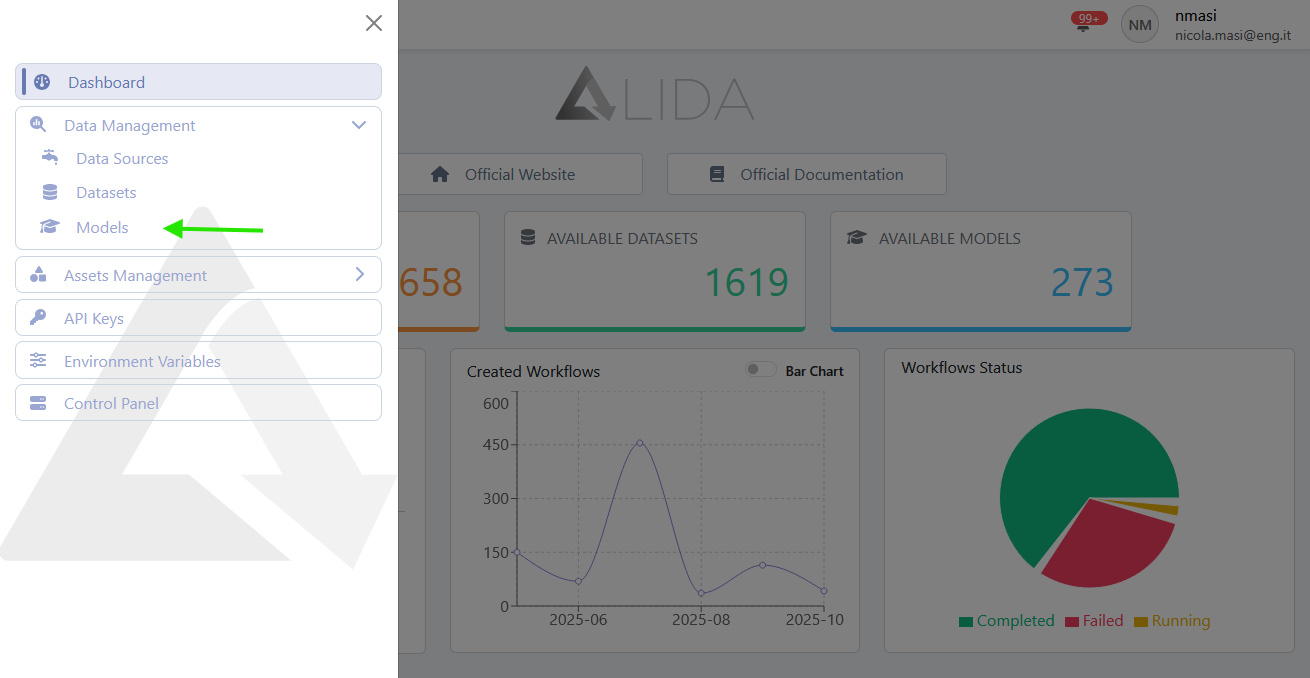
From there, you can view the catalog of available Models:
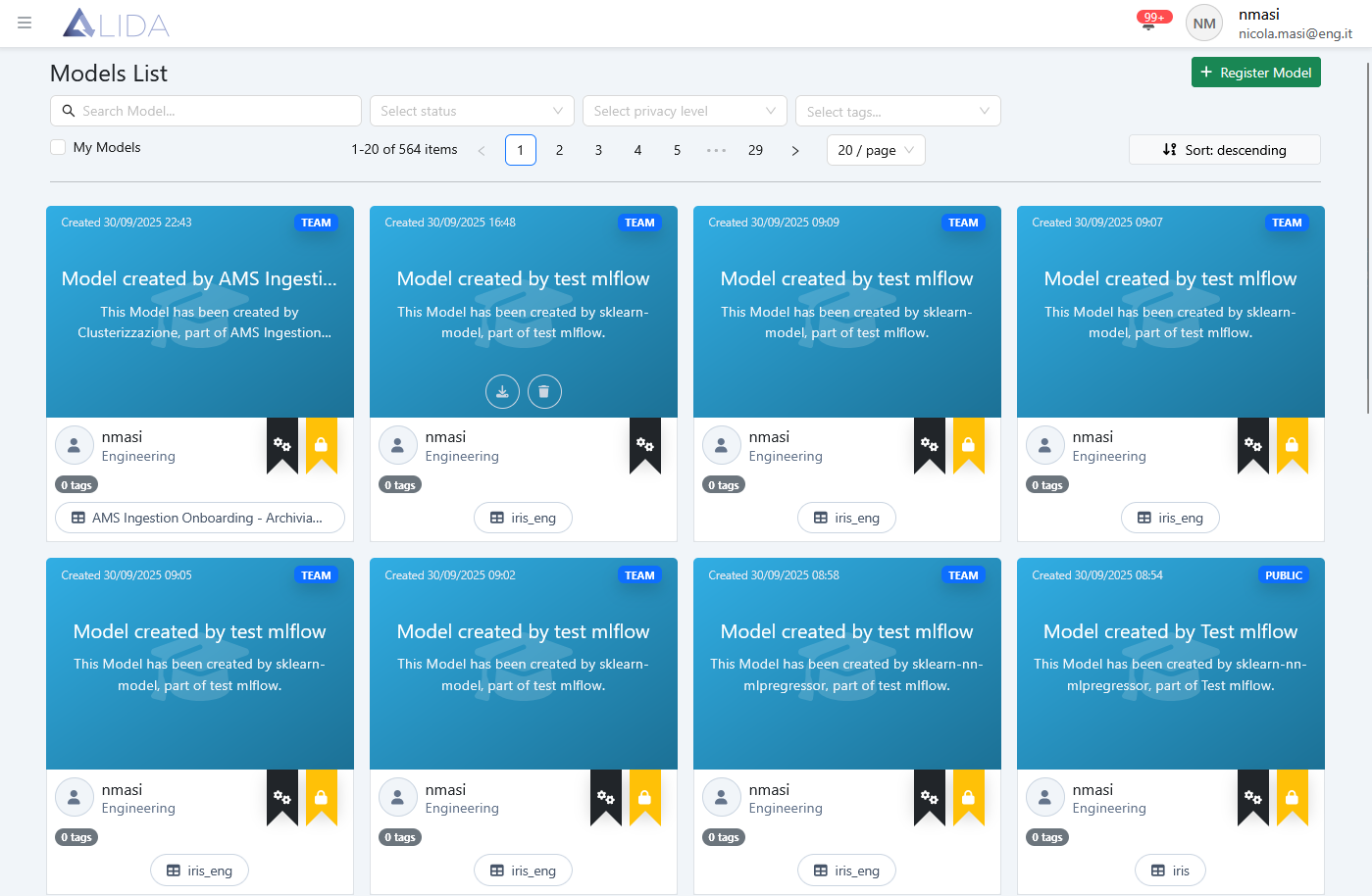
On the top toolbar, you can:

- Search for Models by keywords
- Filter Models by status:
- Virtual (
 )
) - Created
- Virtual (
- Filter by Privacy level
- Filter by tags
- Sort and navigate pages
- Access the Model registration form
Additionally, from each Model card, you can perform the following actions:
Download the Model to your local machine

Delete the Model

Registering a New Model
To register a new Model, click + Register Model from the model management page. This will open the registration form:
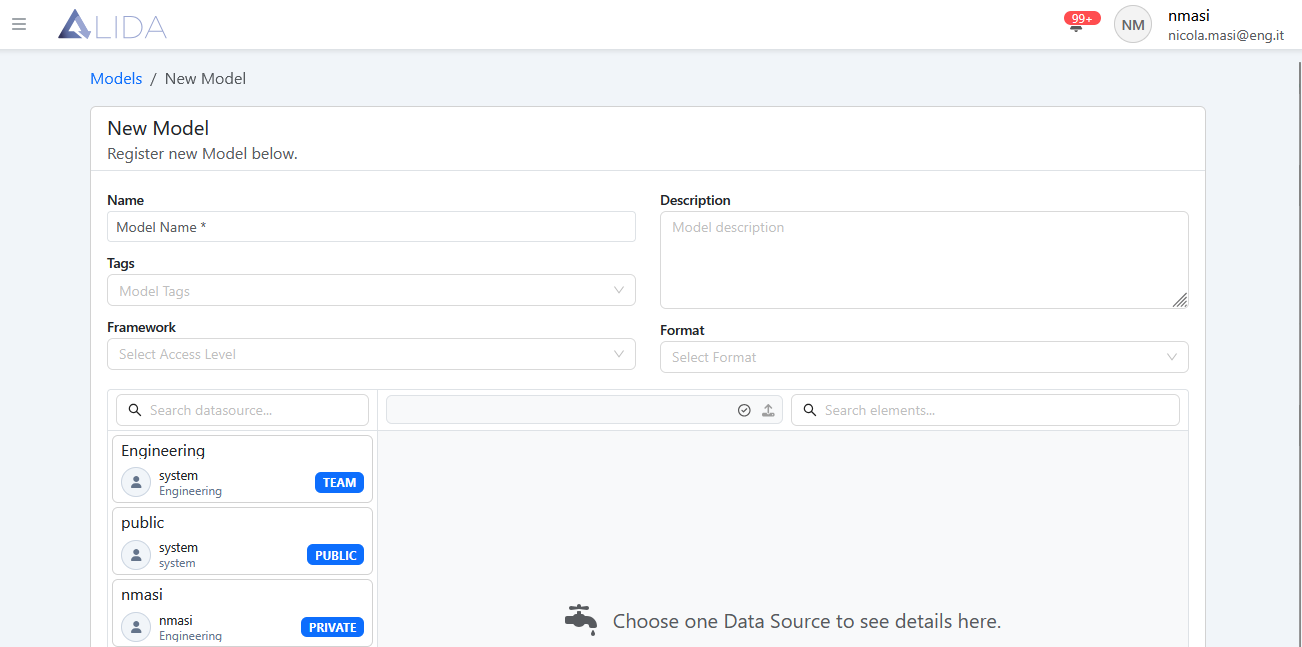
At this point, the procedure is similar to what was described in the Quickstart for uploading a Dataset (see Dataset Upload in Quickstart).
The only difference is that here you can also select the format of the Model to be uploaded.