Service
Service Management
The Data Analytics System catalog natively includes a set of ready-to-use Services for creating Workflows.
For information on how to create custom services, see Creating a Service
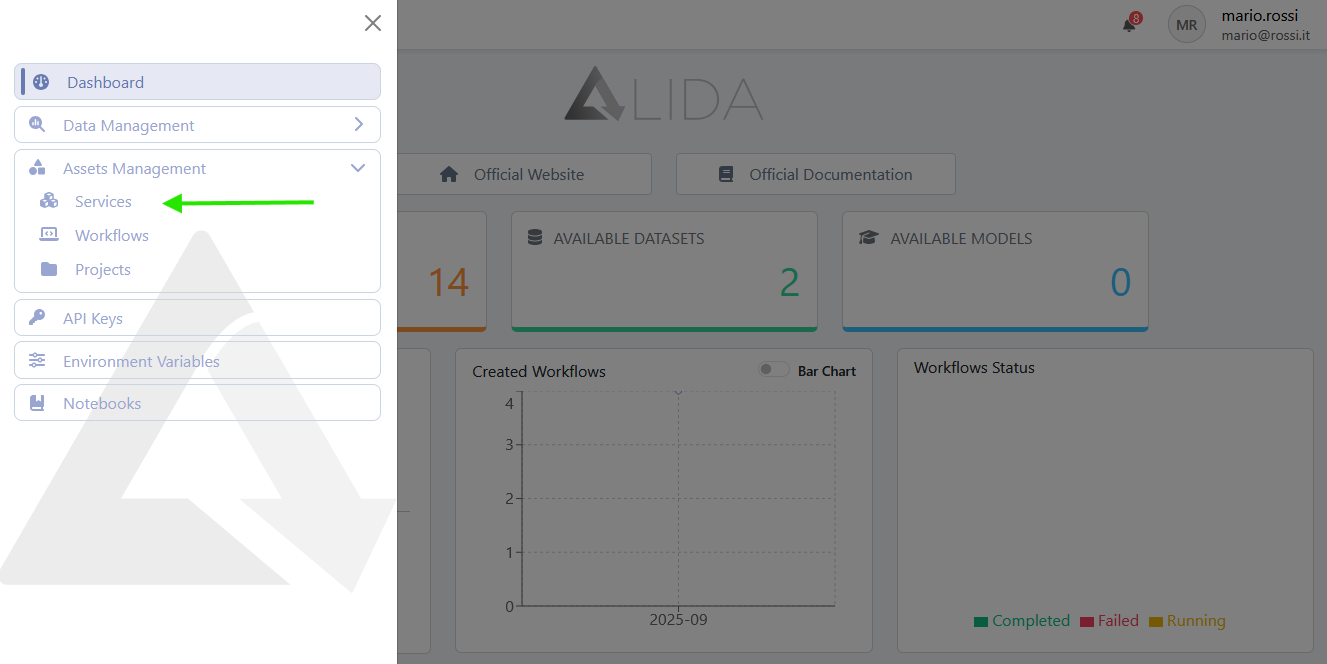
To access the Service management page, navigate through the sidebar menu as shown in the figure below:
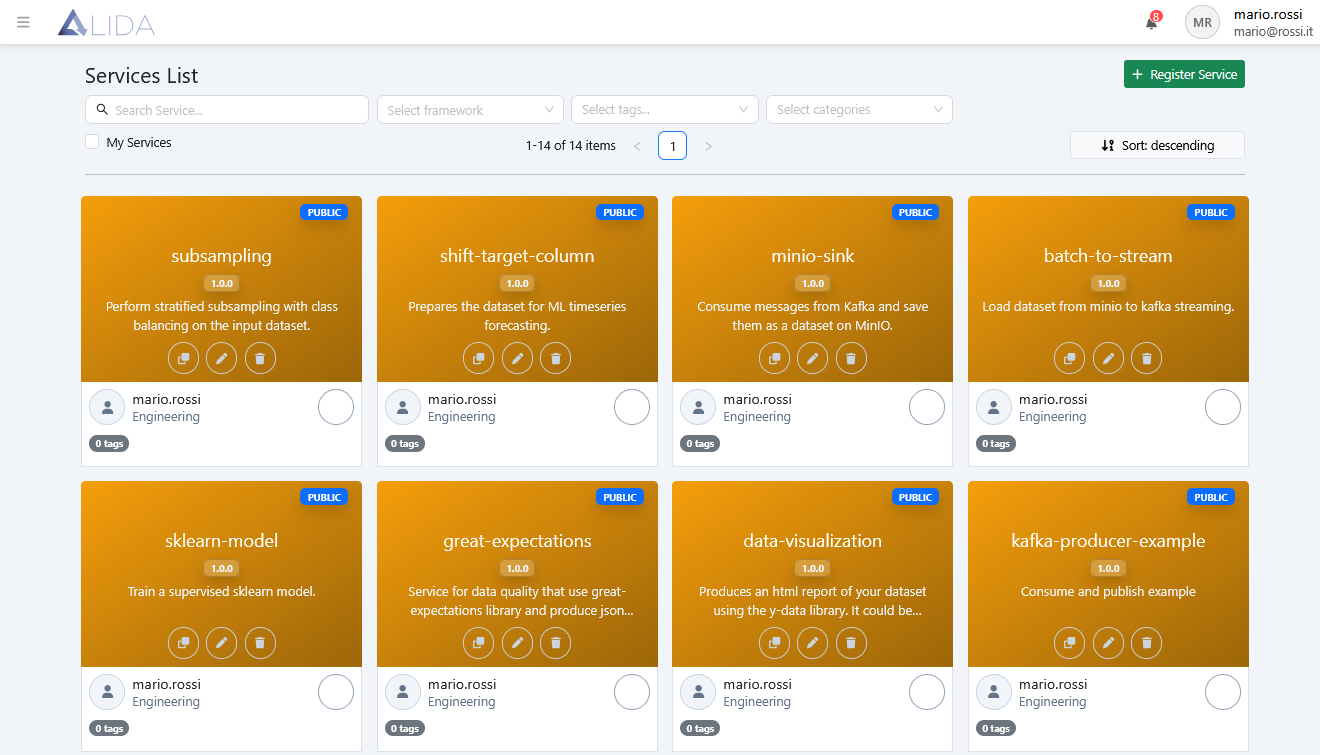
Once on the page, you will find the list of available Services.
From the top toolbar, you can:
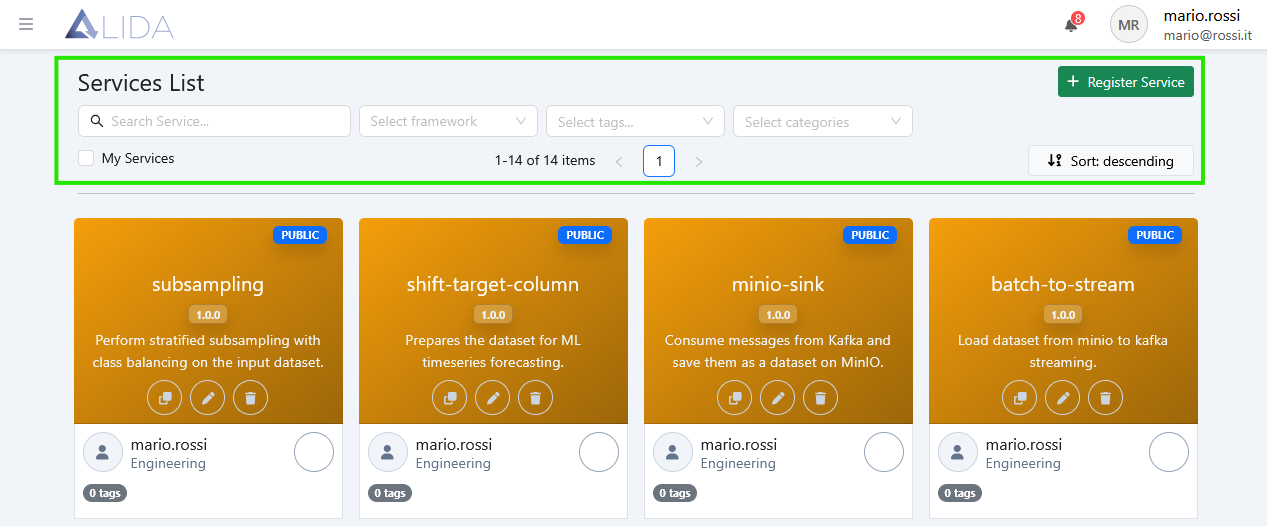
- Access the Service registration form
- Search for Services
- Filter by framework
- Filter by tag
- Filter by category
- Display only "My Services"
- Sort Services
- Change page
From each Service card, the following functions are also available:
Service Cloning
Clicking  will create an independent copy of the selected Service in the catalog.
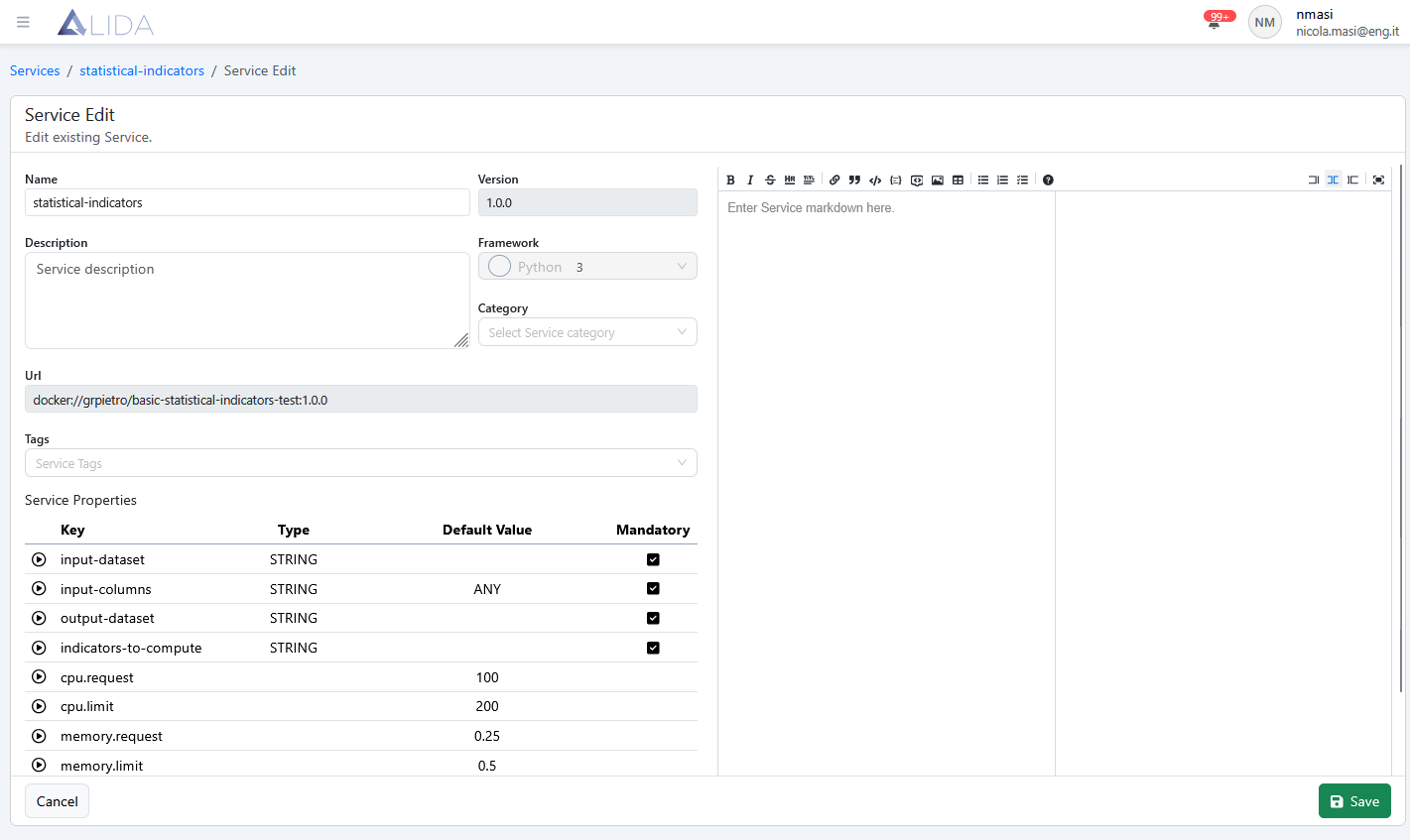
Service Editing
Clicking  allows you to modify some of the Service metadata, such as:
- Name
- Description
- Category
- Service Tags
- Markdown documentation
Service Deletion
Clicking  will remove the Service from the catalog.
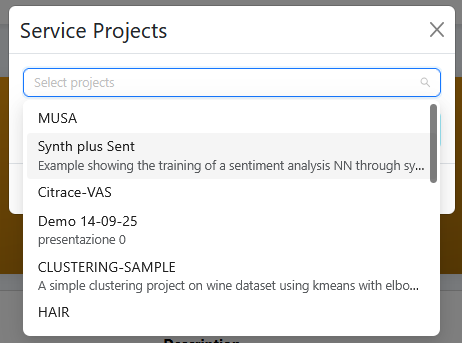
Assigning a Service to a Project
Clicking on a Service card opens its detail page, where you can access the Manage Projects function  .
.
A dropdown menu will appear, allowing you to select a Project to which the Service will be added.